
If you're in the custom apparel business, you've likely heard about DTF printing. It's a game-changer for producing vibrant, durable transfers on demand. But as your order volume grows, managing individual prints can become a bottleneck. That's where the DTF gangsheet comes in. By arranging multiple designs on a single sheet, you can drastically cut production time and material waste. In this guide, we'll dive deep into gangsheets: what they are, why they matter, and how to use them effectively to scale your business.
What Is a DTF Gangsheet?
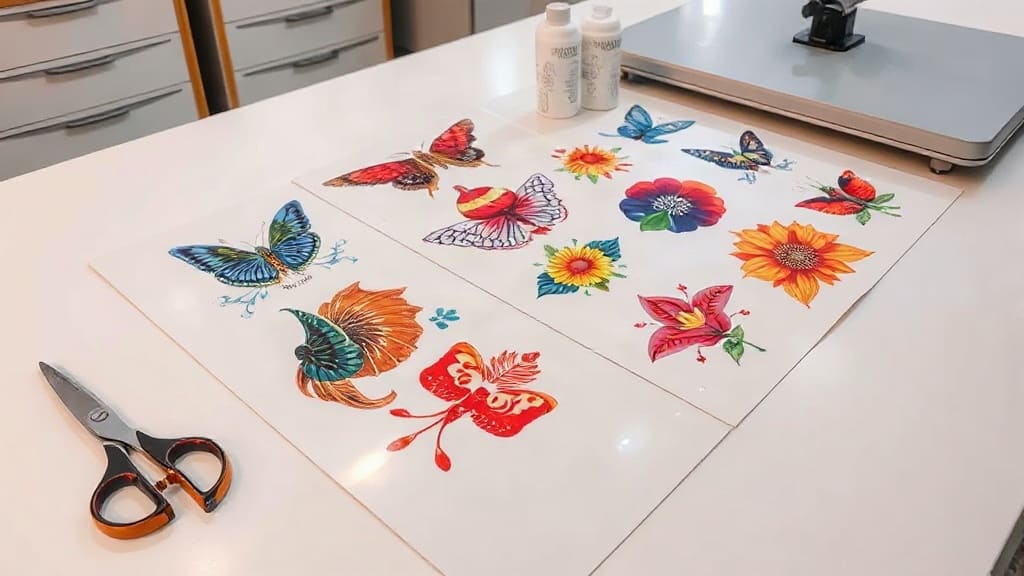
A DTF gangsheet is a large sheet of DTF transfer film that contains multiple designs printed together in a single job. Instead of printing each design separately, you nest them efficiently to maximize the use of the film. This approach is similar to gang printing in offset lithography, where multiple jobs are combined on one sheet to save time and resources.
Gangsheets are typically produced using DTF printers with roll-fed or sheet-fed systems. The designs are printed onto a special film, coated with adhesive powder, and then cured. The result is a sheet of transfers that can be cut apart and applied individually. The key benefit is efficiency: you print once, and you get many transfers.
Why Use a DTF Gangsheet?
If you're still printing one design at a time, you're leaving money on the table. Here's why gangsheets are a smart move for any DTF operation:
- Time savings: Printing multiple designs in one pass reduces setup time and machine wear. You can produce dozens of transfers in the time it would take to print a few individually.
- Cost reduction: Film and powder are expensive. By nesting designs tightly, you use less material per transfer, lowering your cost per unit.
- Consistency: When you print a gangsheet, all designs go through the same process at the same time. This ensures consistent color and quality across the entire batch.
- Scalability: As your orders increase, gangsheets allow you to keep up without adding extra shifts or equipment.
Whether you're a small shop or a large producer, incorporating gangsheets into your workflow can significantly improve your bottom line.
How to Create an Effective DTF Gangsheet
Creating a gangsheet isn't just about throwing designs onto a canvas. A well-planned layout can mean the difference between profit and waste. Follow these steps to optimize your gangsheets:
1. Choose the Right Software
You'll need a graphic design program that supports nesting and efficient layout. Adobe Illustrator, CorelDRAW, and specialized RIP software like Cadlink or Wasatch are popular choices. These tools allow you to import multiple designs, arrange them, and add cut lines or registration marks.
2. Plan Your Layout
Start by determining the size of your film roll or sheet. Common widths are 13, 17, and 24 inches. Then, arrange your designs to minimize empty space. Rotate designs if necessary to fit better. Leave a small gap (about 0.25 inches) between designs for easy cutting. Don't forget to include crop marks or a cutting guide.
Pro tip: Group similar sizes together. If you have many small logos, cluster them in one area. Larger designs can go on the edges. This makes cutting more efficient later.
3. Optimize for Material Usage
The goal is to use as much of the film as possible. Nesting algorithms in some software can automatically arrange designs for you. If you're doing it manually, think of it like a puzzle. Also, consider the grain of the film: DTF film is usually uniform, so rotation is fine. But always test to ensure quality.
4. Print and Powder
Once your gangsheet is ready, print it using your DTF printer. Then, apply adhesive powder evenly. You can use a powder shaker or manual application. Shake off excess powder, then cure the sheet in an oven or with a heat press. Follow your powder and film manufacturer's guidelines for temperature and time.
5. Cut and Store
After curing, you can cut the transfers apart. Use a guillotine cutter or scissors. For large volumes, a plotter cutter with a contour cut can save hours. Store the transfers in a cool, dry place away from direct sunlight. They'll keep for months.
Best Practices for DTF Gangsheets
To get the most out of your gangsheets, keep these best practices in mind:
- Test your layouts: Before printing a full sheet, do a small test to check alignment and spacing.
- Keep a library: Save your gangsheet templates for recurring orders. If you frequently print the same designs, you can reuse the layout.
- Mind the edges: Leave a margin around the border of the film to prevent curling and ensure proper feeding.
- Use quality materials: Cheaper film or powder can lead to clogs or poor adhesion. Invest in reliable supplies from reputable brands.
- Track your costs: Calculate your cost per transfer to ensure you're pricing profitably.
Common Mistakes to Avoid
Even experienced printers make mistakes. Here are some pitfalls to watch out for:
- Overcrowding: Cramming too many designs can cause bleeding or make cutting difficult. Leave breathing room.
- Forgetting registration marks: Without them, cutting becomes guesswork, leading to wasted transfers.
- Inconsistent powder application: Too much powder causes a rough feel; too little leads to poor wash durability. Aim for an even, thin coat.
- Ignoring curing parameters: Under-curing means the transfer won't adhere properly; over-curing can yellow the film. Follow the specs.
Frequently Asked Questions
What is the maximum size for a DTF gangsheet?
The maximum size depends on your printer and film roll. Common widths are 13", 17", and 24", but some industrial printers handle up to 60" wide. Length is limited by your roll or software canvas.
Can I mix different designs on one gangsheet?
Absolutely. That's the whole point. You can combine any designs as long as they fit and are printed with the same settings. Just ensure they all require the same powder and curing conditions.
How do I cut a DTF gangsheet efficiently?
For small batches, scissors or a rotary cutter work. For larger volumes, use a guillotine cutter or a plotter with a contour cut feature. Adding cut lines in your design software can guide manual cutting.
Do I need special software for gangsheets?
Not necessarily, but design software with nesting features (like Illustrator or CorelDRAW) makes it easier. Some RIP software also includes gangsheet tools. If you're handy, you can do it manually in any program.
How long can I store DTF transfers?
When stored properly in a cool, dry place away from sunlight, DTF transfers can last 6-12 months or more. Always test a sample before a large production run.
Mastering the DTF gangsheet is a skill that pays off. By optimizing your layouts, you'll reduce waste, speed up production, and increase your profit margins. Start small, experiment with different arrangements, and soon you'll wonder how you ever managed without gangsheets. For more tips and tricks on DTF printing, keep exploring our resources at DTF Pro Hub.