
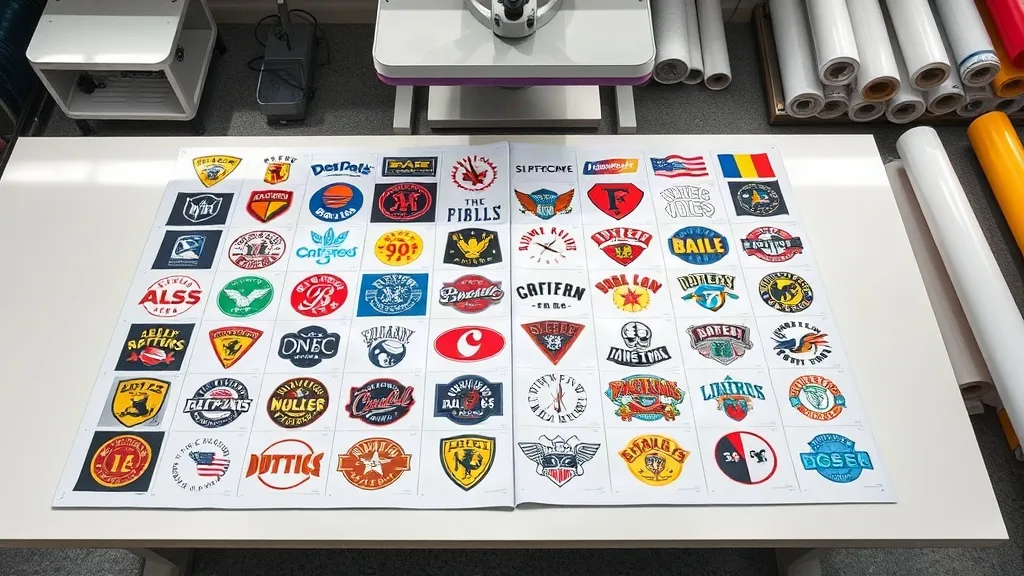
If you're in the custom apparel business, you've likely heard about DTF printing and its game-changing potential. But have you explored the efficiency of a DTF Gangsheet? This approach to arranging multiple designs on a single sheet can significantly cut down production time and costs. In this guide, we'll walk you through everything you need to know about gangsheets, from their benefits to practical tips for creating them.
What Is a DTF Gangsheet?
A DTF gangsheet is essentially a large sheet of DTF film that contains multiple designs printed together. Instead of printing each design individually, you arrange several designs on one sheet, maximizing the use of space and materials. This method is particularly useful for small to medium-sized print shops that need to produce various designs in one go.
The Anatomy of a Gangsheet
A typical gangsheet consists of a release film coated with a layer of DTF ink, followed by a layer of adhesive powder. The designs are printed in reverse onto the film, and when heat-pressed, the ink transfers to the fabric. Gangsheets can vary in size, but common dimensions are 22x12 inches, 22x24 inches, and 22x36 inches, though custom sizes are also available.
Why Use a DTF Gangsheet?
Gangsheets offer several advantages that can make your printing operation more efficient and cost-effective. Here are the key benefits:
- Time Efficiency: By printing multiple designs at once, you reduce the number of print jobs and setups, saving valuable time.
- Cost Savings: Less waste and optimal use of film and ink lower your per-unit cost.
- Consistency: Printing all designs under the same conditions ensures uniform quality across the batch.
- Versatility: You can mix different designs, sizes, and colors on one sheet, making it ideal for small orders or sample packs.
How to Create a DTF Gangsheet
Creating a gangsheet involves a few key steps, from design preparation to printing and pressing. Here's a step-by-step overview:
1. Design Preparation
Start by gathering all the designs you want to include. Ensure each design is high-resolution and properly sized. Use design software to arrange them on a canvas that matches the dimensions of your DTF film. Leave a small gap between designs to avoid overlapping and to make cutting easier.
2. Printing the Gangsheet
Load the DTF film into your printer and send the job. Make sure your printer is calibrated for DTF printing and that the ink levels are sufficient. Print the designs in reverse (mirrored) so they transfer correctly.
3. Powder Application
While the ink is still wet, apply adhesive powder evenly over the printed area. Shake off excess powder and cure the sheet under a heat source (e.g., a heat press or oven) until the powder melts and forms a smooth layer.
4. Cutting and Pressing
Once cured, cut out each design individually. You can use scissors or a vinyl cutter for precision. Then, heat press each design onto your fabric following the recommended temperature and time settings for DTF transfers.
Tips for Maximizing Gangsheet Efficiency
To get the most out of your gangsheets, consider these practical tips:
- Nest Designs: Arrange designs tightly to minimize wasted space, but leave enough room for cutting.
- Group by Color: If your printer allows, group designs with similar color profiles to reduce ink changes.
- Use Standard Sizes: Stick to common gangsheet sizes to avoid custom film orders and reduce lead times.
- Test First: Before committing to a full sheet, print a small test to check color accuracy and adhesion.
Common Applications of DTF Gangsheets
Gangsheets are incredibly versatile and can be used for a wide range of applications, including:
- Small Batch Orders: Perfect for fulfilling orders with multiple designs in small quantities.
- Sample Packs: Create sample packs with various designs to showcase your work to potential clients.
- Event Merchandise: Produce team jerseys, event t-shirts, and promotional items with different logos or names.
- Personalized Gifts: Print multiple personalized items in one go, such as family reunion shirts or customized bags.
Choosing the Right DTF Gangsheet Supplier
If you're not printing in-house, selecting a reliable supplier is crucial. Look for suppliers that offer:
- High-Quality Materials: Ensure they use premium DTF film and inks for vibrant, durable transfers.
- Custom Sizes: The ability to order custom gangsheet sizes to fit your specific needs.
- Fast Turnaround: Quick production and shipping to meet your deadlines.
- Competitive Pricing: Fair pricing without compromising on quality.
At DTF Pro Hub, we specialize in providing top-notch DTF gangsheets tailored to your business. Our state-of-the-art printing ensures crisp details and vivid colors, and we offer flexible sizing options to accommodate any project.
Frequently Asked Questions
What is the maximum size for a DTF gangsheet?
The maximum size depends on your printer and film availability. Common maximum widths are 22 inches or 24 inches, but some industrial printers can handle wider rolls. Length can be customized up to several feet, but it's best to check with your supplier for specific limits.
Can I mix different fabric types on one gangsheet?
Yes, DTF transfers adhere to a wide range of fabrics, including cotton, polyester, blends, and even some synthetics. However, pressing conditions may vary slightly, so it's advisable to test a small sample first.
How do I store unused DTF gangsheets?
Store them in a cool, dry place away from direct sunlight. Keep them flat or rolled loosely to prevent creasing. Properly stored gangsheets can last for several months without significant degradation.
Is a DTF gangsheet cost-effective for small orders?
Absolutely. Gangsheets are designed to maximize efficiency, so even for small orders, you can benefit from reduced material waste and labor time. The more designs you fit on a sheet, the lower your per-unit cost.
What software do I need to create a gangsheet layout?
You can use any graphic design software that allows you to arrange multiple designs on a single canvas, such as Adobe Illustrator, CorelDRAW, or free alternatives like Inkscape. Ensure the software can export in a high-resolution format suitable for printing.